Installing the Citrix Receiver
Download the Receiver App from the Citrix website:
- Navigate to the Citrix Downloads website.
- Select “Citrix Receiver (ICA)” from the dropdown and click “OK”:

- Expand the appropriate platform and click the link:
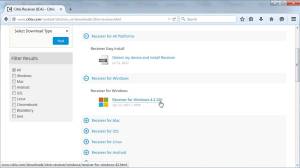
- Scroll to the bottom of the screen and click the Download button:
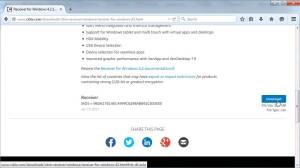
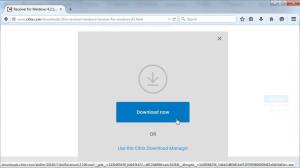
- If presented with the option, click “Download Now”:
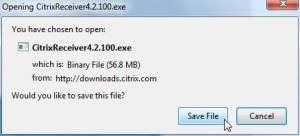
- When asked choose to save the file instead of running it. This way if we encounter issues we can return to reinstall without downloading the file again:
- Wait for the file to complete downloading. If you have a slower connection this may take several minutes.


Install the software on your computer:
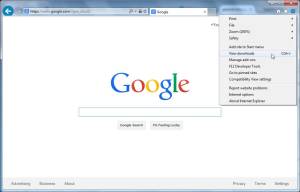
- Open your Downloads folder. If you have trouble finding your downloads folder it can usually be accessed through the settings menu in your browser:
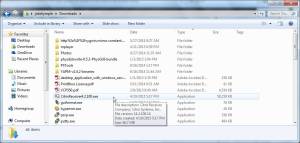
- Double click the Citrix download:
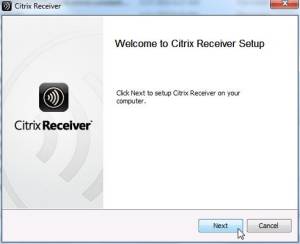
(Note: At this point you may receive a User Account Control warning alerting you that you are about to make changes to your system. Agree with any prompts and if necessary enter an administrative password.) - Click Next on the first screen:
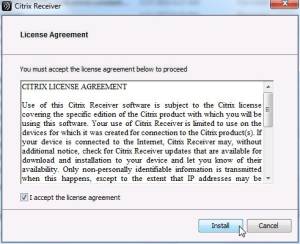
- Place a check in the checkbox to agree to the license terms and click to install:
- The install will proceed without any further interaction. When complete the window will disappear and you're done. When finished you can test by logging into the Citrix Web Interface and testing an application.


