
wiki:public:outlook_add_account
This is an old revision of the document!
Generally speaking this documentation is geared towards Outlook 2013/2016 and it will also assume that you have a properly functioning autodiscovery system in place.
- Start by opening Outlook
- If you don't already have an existing E-mail account, Outlook will take you directly into the wizard.
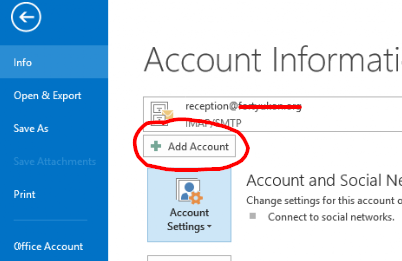
- If you did not get taken directly into the wizard, click File → Info → Add Account
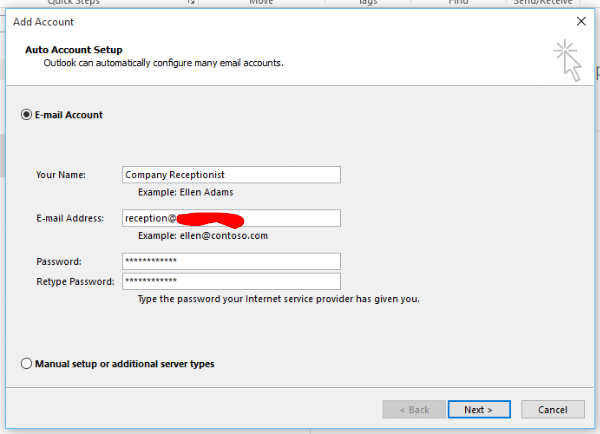
- Fill out your name (as you wish for it to be seen by your recipients), E-mail address and password in both password fields


wiki/public/outlook_add_account.1549862189.txt.gz · Last modified: 2019/02/11 05:16 by jrdalrymple