
gsellcpublic:citrix_receiver_use
Table of Contents
Using the Citrix Receiver App
Find it:
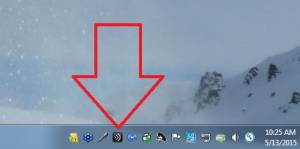
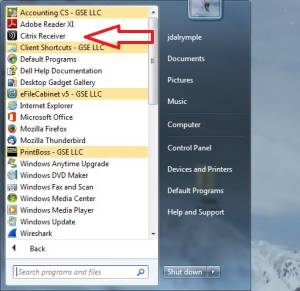
You can find the Receiver app in 1 of 2 ways
- Double-click the tray icon:
- Locate the application in the Start Menu and single-click:
- If you don't find it anywhere, it may not be installed. Return to the Installation Instructions page.


First use - set server address:
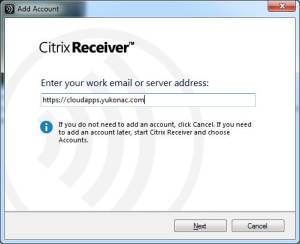
- The very first time you use the Receiver App you'll have to input the server name. The GSE, LLC server is https://cloudapps.yukonac.com, insert that in the field and click Next:
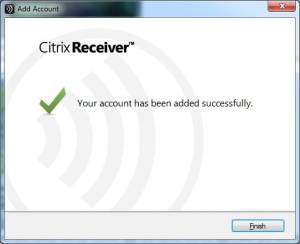
- It may take a moment to connect, when it has connected successfully you'll see the following screen, click Finish:
- If the Receiver App disappears, you can find it again by performing the steps in the Find it section again so you can proceed to login.


Login:
- After double clicking the Receiver app icon you should see the login screen (unless you're already logged in):
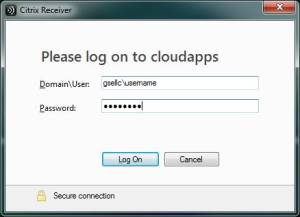
- In the Domain\User field type “gsellc\” followed by your username
- Type your password in the password field
- Click the LogOn button

Add Apps:
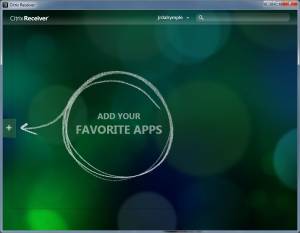
- If this is your first time logging in you won't have any apps in your favorite apps list, to add apps click the (+) button as indicated:
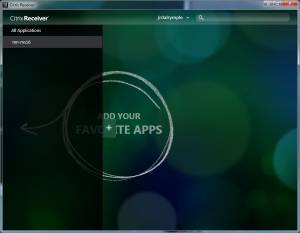
- Click All Applications at the top:
- Click on all the applications you use routinely, green check symbols should appear next to them as you click them:
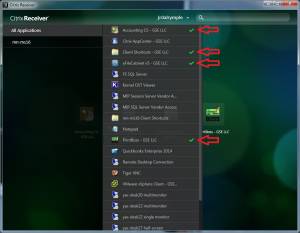
- Once you've selected all the apps you use routinely you can click anywhere outside of the app list to return to your favorite apps list and start working:
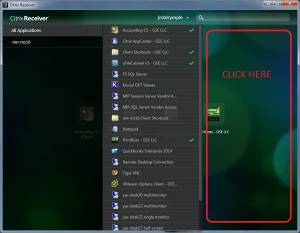
- If at any time you wish to add more apps just return to step one of the Add Apps section.


Final Notes:
- Now that you've logged in using the receiver you will have much more convenient access to your applications than you would have going through the cloudapps web interface.
- If configured properly you will end up with Citrix hosted applications on your desktop and in your start menu as shown:
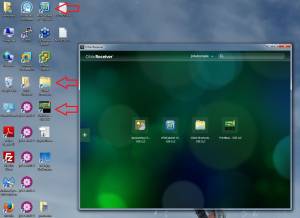
These icons can be used to launch the cloud-based applications conveniently. - Cloud based applications should end in “- GSE LLC” to make it easy to discern cloud based applications from locally installed applications, it is important to make this distinction:
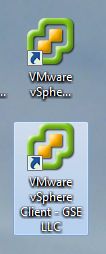
- If at any point you cannot find the receiver app and cannot find the application you wish to launch - you can access the receiver app again using the steps outlined in the Find it section.


gsellcpublic/citrix_receiver_use.txt · Last modified: 2018/09/27 02:29 by 127.0.0.1