
gsellcpublic:citrix_receiver_use
This is an old revision of the document!
Using the Citrix Receiver
Find it:
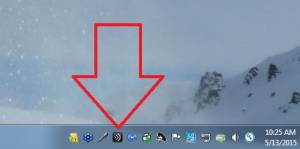
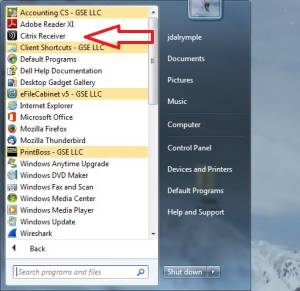
You can find the Receiver app in 1 of 2 ways
- Double-click the tray icon:
- Locate the application in the Start Menu and single-click:


Login:
- After double clicking the Receiver app icon you should see the login screen (unless you're already logged in):
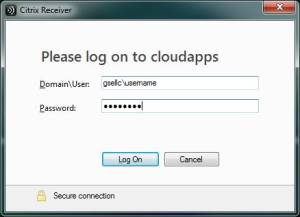
- In the Domain\User field type “gsellc\” followed by your username
- Type your password in the password field
- Click the LogOn button

Add Apps:
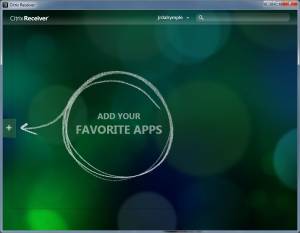
- If this is your first time logging in you won't have any apps in your favorite apps list, to add apps click the (+) button as indicated:
- Click All Applications at the top:
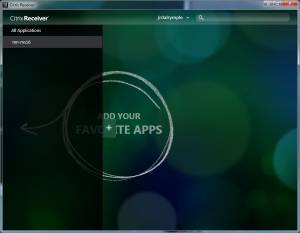
- Click on all the applications you use routinely, green check symbols should appear next to them as you click them:
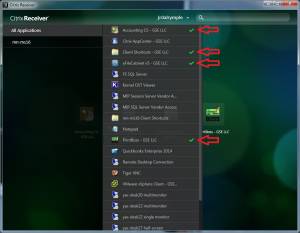
- Once you've selected all the apps you use routinely you can click anywhere outside of the app list to return to your favorite apps list and start working:
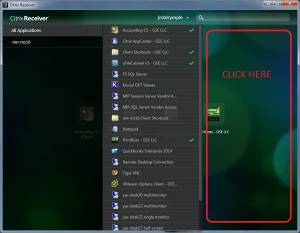


gsellcpublic/citrix_receiver_use.1431537331.txt.gz · Last modified: 2018/09/27 02:30 (external edit)